
How do I update my shipping address at checkout?
If you would like to update your shipping address during checkout, please follow these steps:
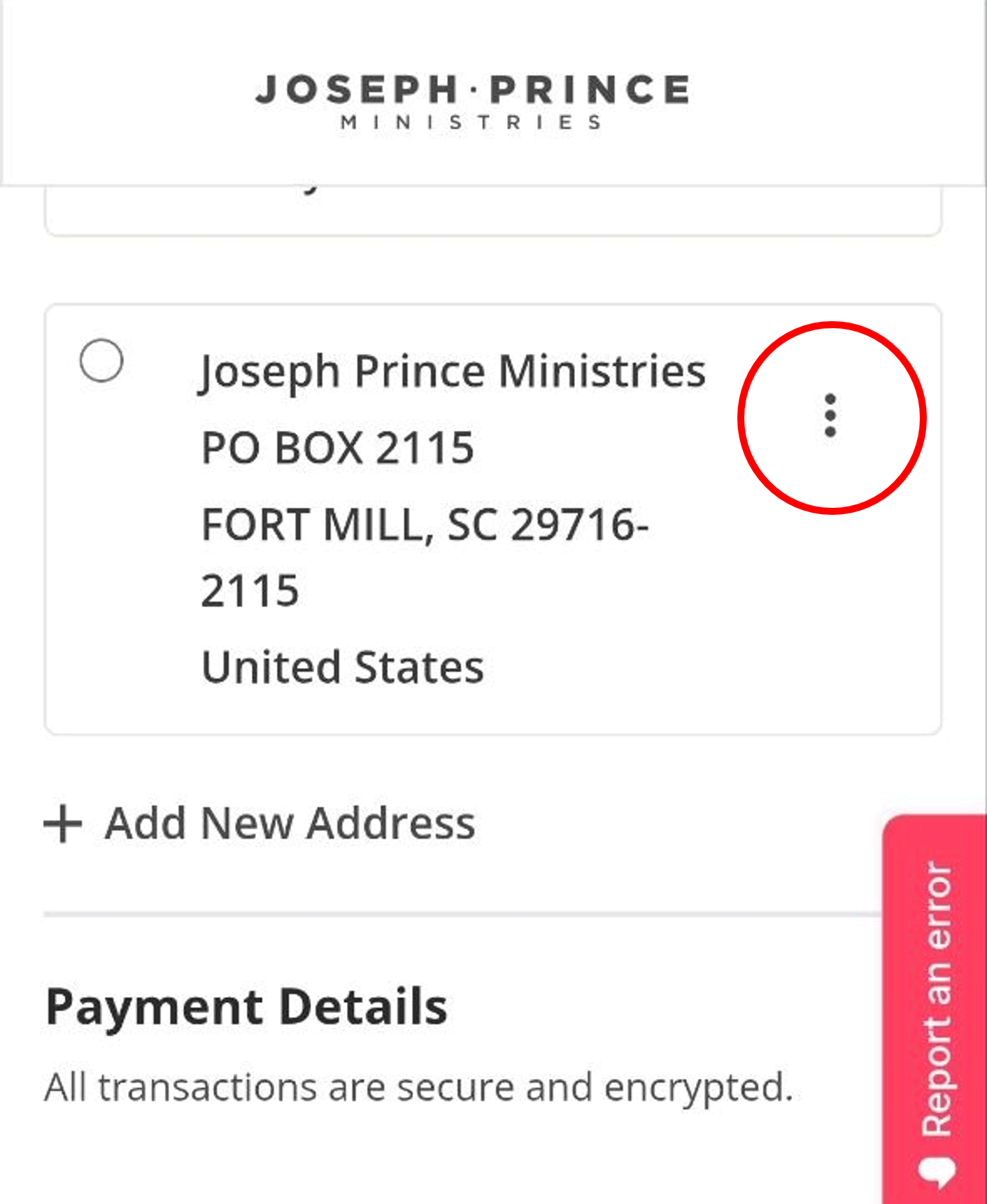
- On the checkout page, locate the address you would like to edit and click on the three dots (⋮) at the top-right corner of the address card:
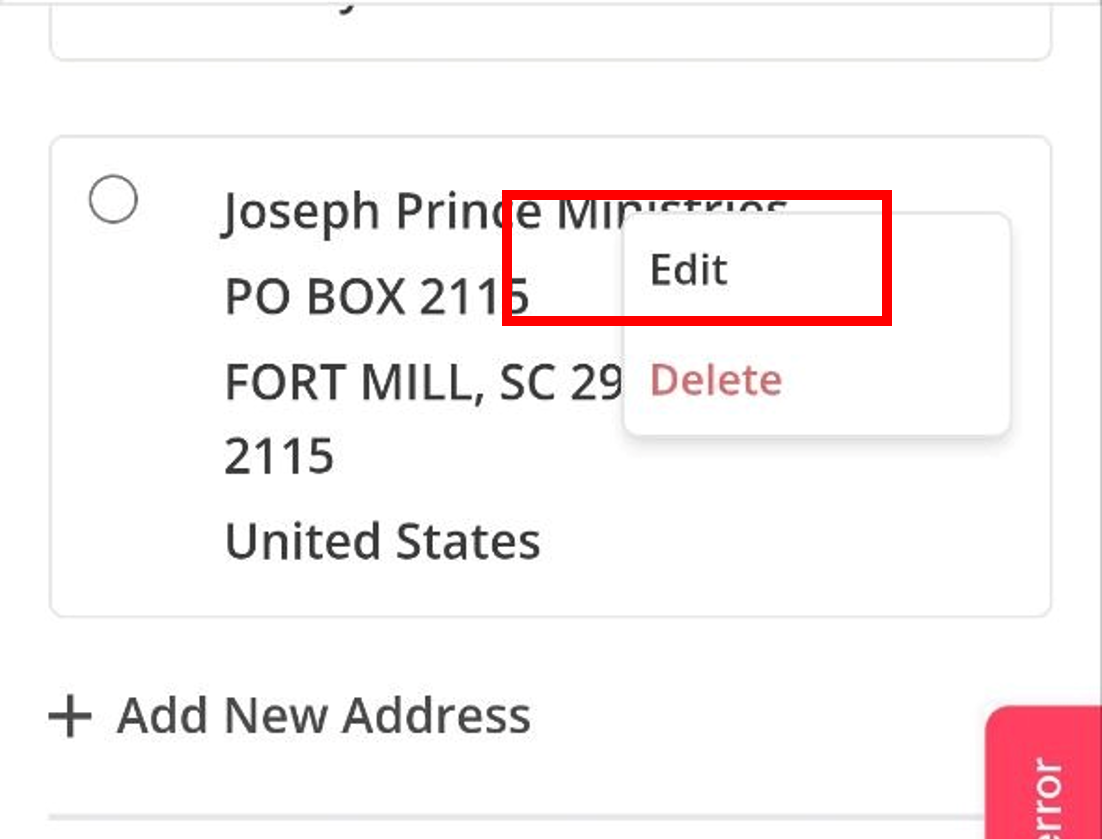
- Select Edit from the drop-down menu:
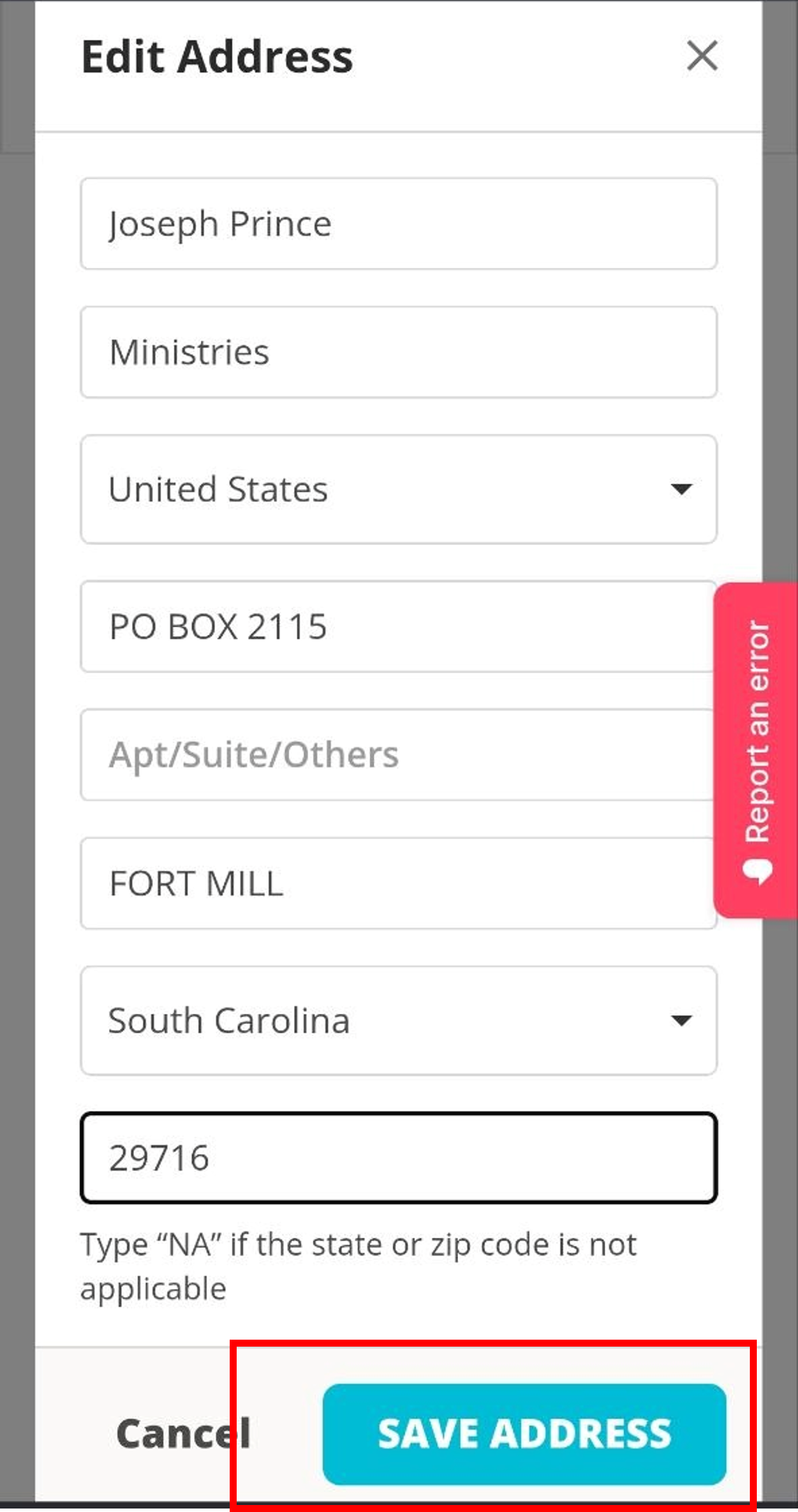
- Update your address details and click Save Address before completing your checkout:
If your question has not been answered, please contact us here.